



Roxy Desk mobile app
Manage bookings, clients and analytics right from your smartphone
A full mobile workspace for owners, administrators and the team: schedules, the event feed, client cards, invoices and reports are always close at hand.
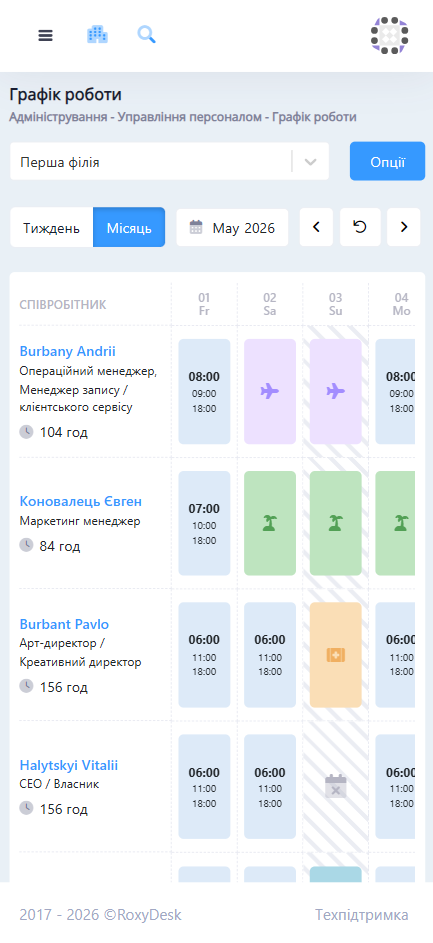
Team schedule
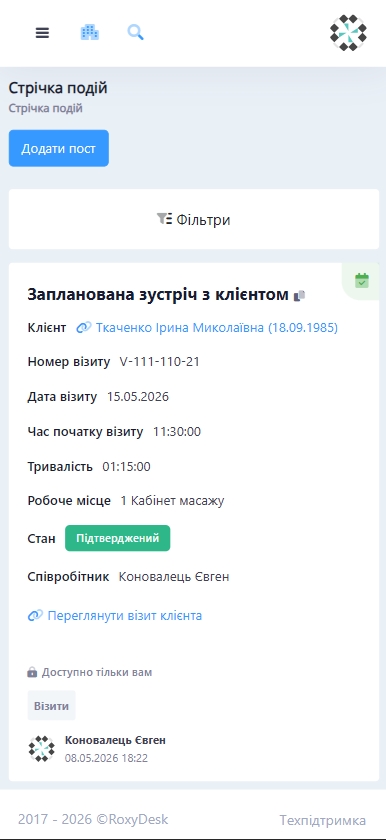
Event feed
Everything you need for daily work on your phone
The mobile app doesn't duplicate the website — it covers the team's quick tasks: schedules, clients, invoices and analytics.
Mobile workspace
Quick actions without going back to the computer
Key scenarios
One app for quick actions throughout the workday
Check the schedule
See staff workload and find a free slot.
See events
Get context on appointments, statuses and changes in the feed.
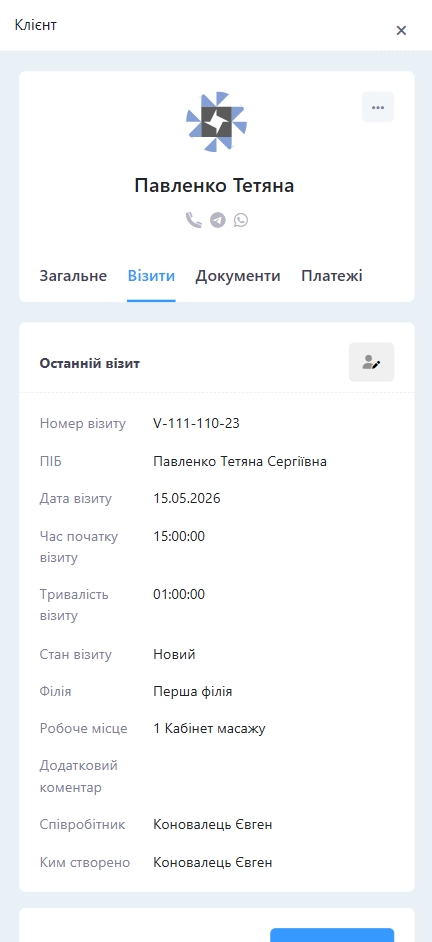
Open a client
Go to contacts, visit history, documents and payments.
Quick route
From an event to the client card without extra screens
The team works in one context: sees the schedule, opens an event, jumps to the client and continues the service without hunting for the right section.
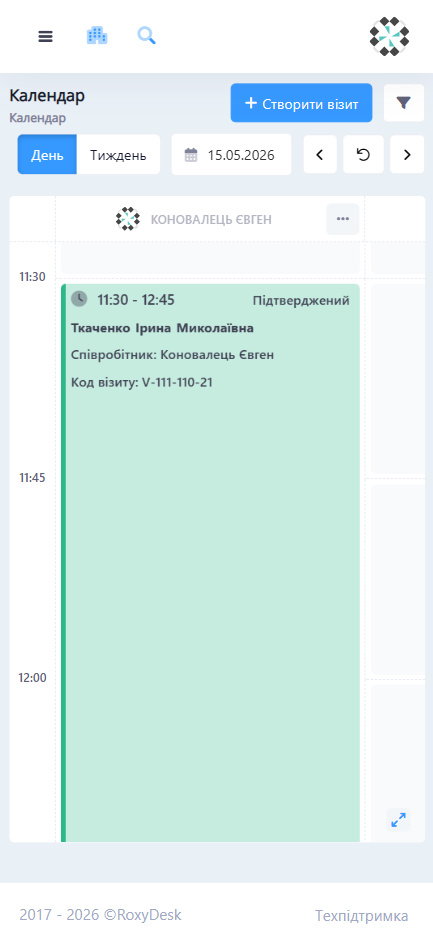
Schedule management
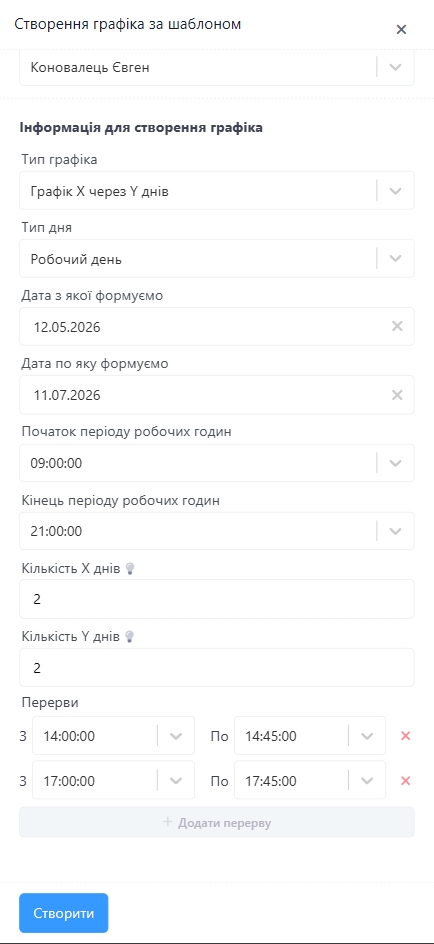
Create work schedules from templates and change days quickly
The mobile app shows the schedule for each employee: shifts, sick leave, vacations, days off and other day types. Manage employees, apply templates and see total hours right away without extra navigation.
- Schedules from ready-made templates
- Working days, sick leave, vacations and days off
- Total hours per employee
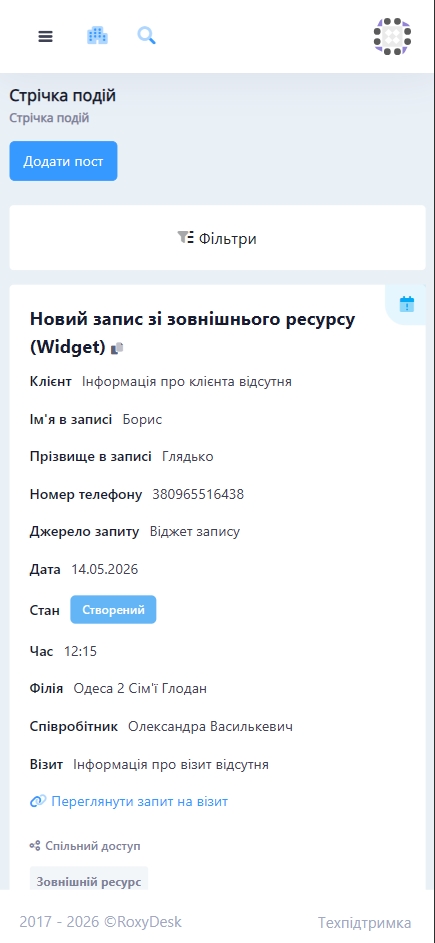
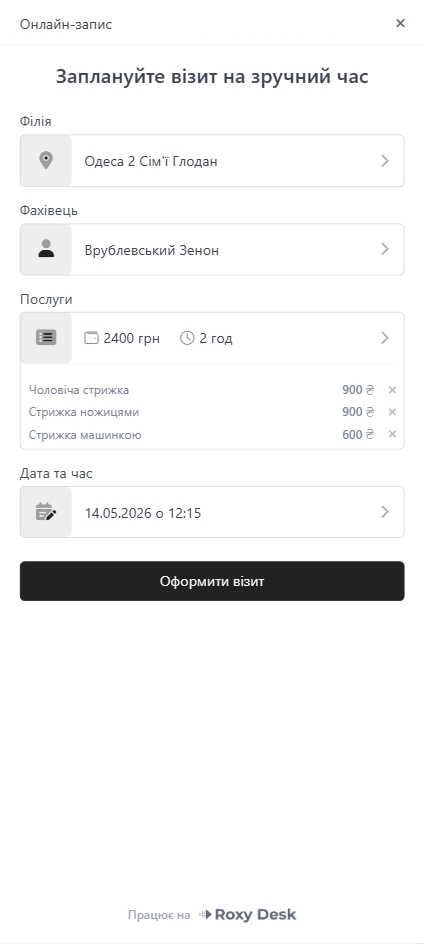
Online booking
Accept new visit bookings and confirm them in a few taps
When a client books online, the administrator sees the new request in the mobile app right away. Check the time, employee and service, confirm the visit and quickly adjust booking details without opening a computer.
- New online requests at hand
- Confirm or change visit details
- Booking settings, breaks and available time
Working with a visit
Edit visits, add services and control the total on the spot
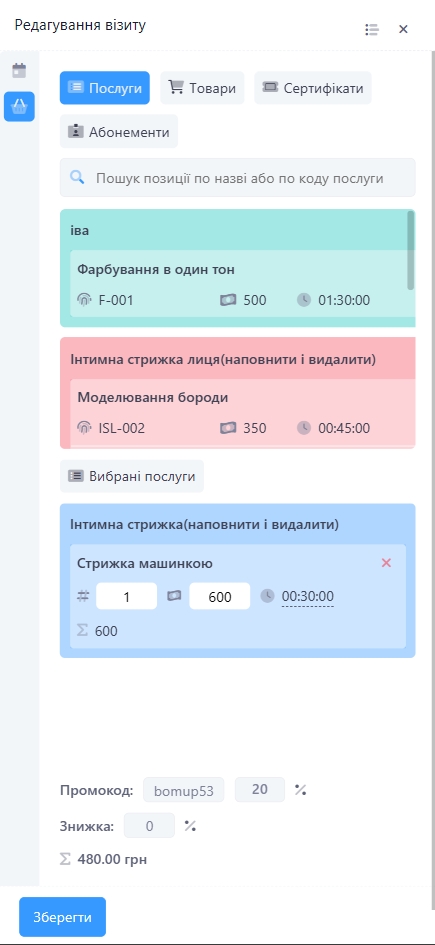
Item search, selected services, quantity, price, discounts and the total are all in one mobile flow. The team can finish a visit quickly without going back to the computer.
- Services, products and gift certificates
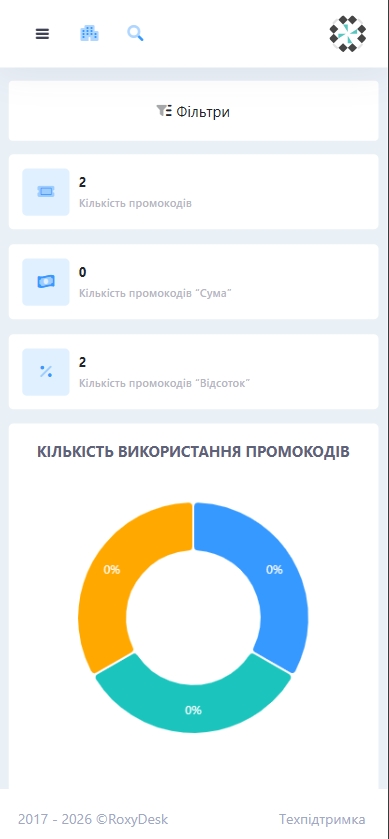
- Promo codes and discounts
- Total before saving
Staff on your smartphone
Manage your team, schedules and payroll without going back to the computer
In the mobile app the administrator sees key employee data and quickly checks schedules, workstations and payroll rules.
Employees
Working hours
Positions
Workstations
Payroll
Payroll templates
Team productivity
The mobile app shortens the gap between decision and action
When schedules, clients, events and invoices are available on the phone, the team waits less for a workstation, reacts faster to changes and closes operational tasks without extra back-and-forth.
+32%
faster response to schedule changes
-24%
fewer manual check-ins between the administrator and the team
Roxy Desk on your smartphone
Get started
Give your team a mobile workspace
Our pricing
Free Start plan
Sign up without a card
No hidden fees




Personal consultation
Not sure which plan is right for you?
The Roxy Desk team will help you match your processes, team size and future plans to choose the right solution without overpaying.
Talk to an expert
Mobile app FAQ
Short answers about installation, access, teamwork and syncing with Roxy Desk.
The mobile app works for owners, administrators and employees. Access to sections depends on the role and permissions configured in the system.
Yes. Schedules, clients, events, invoices and analytics use Roxy Desk data, so the team sees up-to-date information without manual duplication.
Yes. The mobile interface includes the client card with contacts, general information, visit history, documents, payments and analytics.
Yes. During a visit you can add services, products or gift certificates, change quantity, price and discount, and see the total.
Yes. Access rights are set by role, so an employee sees only the data and actions they need for their work.
The Google Play link is in the top section of the page. If the app is still being published, a manager will tell you the current way to install it.
Mobile app
Get Roxy Desk on your smartphone
Manage bookings, clients, events and analytics from your phone when you're away from your desk.

 Made in Ukraine